


Baby Tracker App | Glow
3.93.64K Reviews
App Specs
- Version
- 4.57.0
- Updated On
- License
- Free
- Downloads
- 1,000,000+
- Developer
- Glow Inc
- Categories
- Parenting
- Platform
- Android, iOS
Screenshots
 Analysis by AppCompare
If you've recently welcomed a little bundle of joy into your life, you know how overwhelming it can be to keep track of feeding times, diaper changes, and sleep schedules. Enter the Baby Tracker App | Glow, a lifesaver for new parents trying to manage the chaos of newborn life. Let’s dive in and see how this app can help make parenting a bit more manageable.
Getting Started with Glow
First off, setting up the Baby Tracker App | Glow is a breeze. Available on both Android and iOS, you can download it from the Google Play Store or the Apple App Store. Once installed, you’ll be guided through a simple setup process where you can input your baby’s details like birth date, weight, and name. This personalized touch makes the app feel like it’s tailored just for your little one.
One thing I really appreciated was the user-friendly interface. You don’t need to be tech-savvy to navigate through the options. The app’s design is intuitive, with easy access to all the features right from the home screen. It’s like having a digital nanny at your fingertips!
Making the Daily Log Work for You
The most useful way I found to approach a baby tracker is to decide what I actually need to remember before trying to record everything. On a hectic day, feeding times and sleep may matter most; at another point, diaper changes or a new milestone may be more relevant. Glow can hold these different kinds of notes in one place, but the benefit depends on keeping the routine light enough that logging does not become another chore.
A realistic rhythm is to record an event as it happens, or as soon as there is a quiet moment, rather than trying to reconstruct a whole day at bedtime. If one parent handles a feed and the other takes over later, a shared record can make handoffs clearer: the next caregiver can check what was logged instead of relying on a tired recollection. I would still treat the log as a practical aid, not as a substitute for talking through anything important.
This approach is especially helpful during days when plans shift. A missed nap or an unusually short feed is not automatically a problem, and the app cannot interpret every circumstance around it. The useful question is whether a record helps you notice something worth discussing or simply adds pressure to produce a perfect-looking schedule. I found it works best when the goal is a clearer picture, not a scorecard for parenting.
Tracking Made Easy
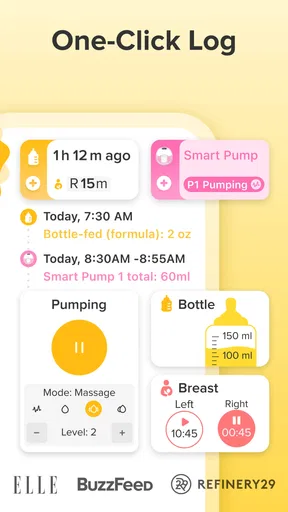
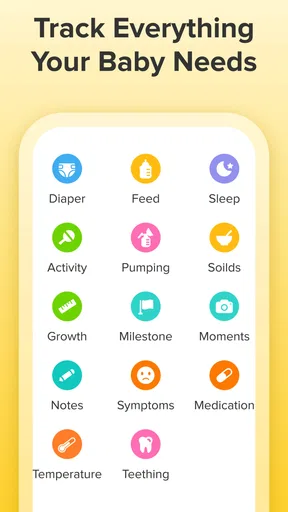
Now, let’s talk about the core functionality. The app lets you log a variety of activities like feedings, diaper changes, sleep, and even milestones. Each section is straightforward to use, and you can add notes if you want to jot down something specific.
Worth Reading Before You Choose

Flipboard Shows What News Apps Must Do Beyond the Feed

Switching to Android Auto Means Rethinking Your Driving Routine

Google Calendar Makes a Crowded Week Easier to Manage

Ludo King Makes the Most of the Minutes Between Plans

Baby Panda World Brings Quick Play to Modern Phones, but Its Game Library Feels Busy

ESPN’s Live Game View Makes Following Close Games Easier
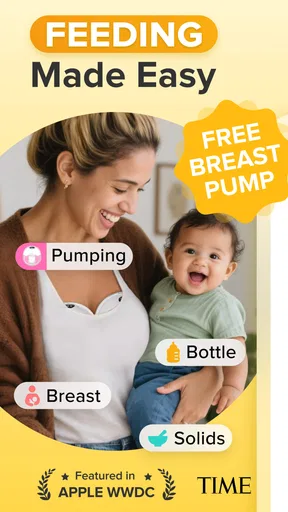
For feedings, you can track whether you’re breastfeeding, formula feeding, or both. The app even allows you to monitor pumping sessions, which is incredibly useful for breastfeeding moms. And if you’re anything like me, you’ll appreciate the timely reminders, ensuring you never miss a feeding.
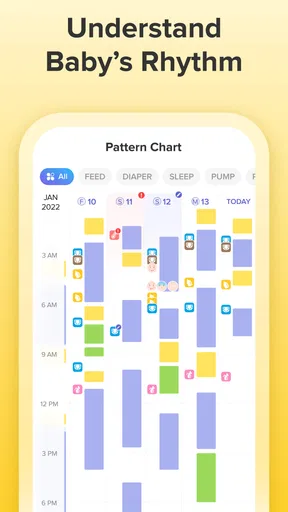
Diaper changes are another crucial aspect, and the app lets you record the type (wet, dirty, or both), helping you keep an eye on your baby’s health. The sleep tracker is a godsend, too. It’s so helpful to see patterns over time, which can aid in establishing a routine.
Settings That Deserve a Quick Check
Before relying on reminders, I would check which activities are worth a prompt and which are better left as optional notes. Alerts can be reassuring when a parent is exhausted, but too many notifications can quickly turn a helpful tool into background noise. Keeping only the reminders that genuinely support your household makes the app easier to live with.
It also helps to agree on a simple logging convention with anyone else caring for the baby. For example, decide whether you will add a brief note when a feed was interrupted or when a nap happened in a stroller. Consistency matters more than lengthy entries: a shared habit makes later records easier to interpret, while different styles of logging can make the timeline confusing.
Glow’s baby details and growth information can be useful for keeping a personal history, but I would not treat an app chart as a medical verdict. If a measurement or pattern worries you, bring the relevant information to your child’s healthcare professional. The app is at its best as an organized record that helps you explain what you have noticed, rather than an authority that diagnoses or settles concerns.
Community and Insights
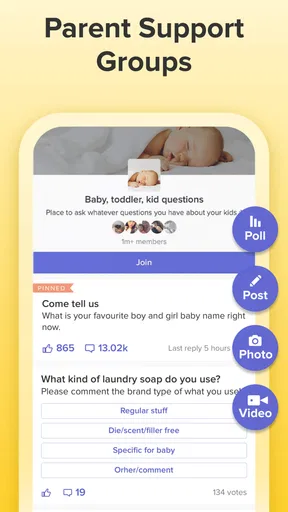
One of the standout features of the app is its community aspect. You can connect with other parents and share experiences, which is comforting when you’re up at 3 AM wondering if anyone else is going through the same thing. The discussions range from feeding tips to sleep training, offering a wealth of knowledge from seasoned parents.
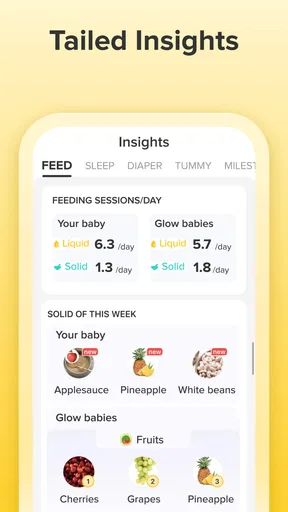
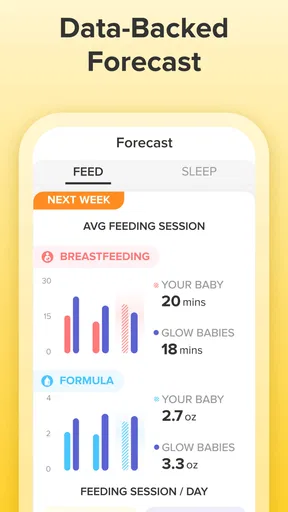
The app also provides insights and tips based on the data you’ve logged. It’s like having a mini parenting coach giving you advice based on real-time data. Trust me, when you’re sleep-deprived, having these insights can feel like a game-changer.
I would use those insights as prompts for reflection, not as instructions that fit every baby. A pattern can look convincing in a log while still being affected by a change in routine, illness, travel, or an unusual day. If a suggestion does not match your child or your family’s circumstances, it is reasonable to ignore it and ask a qualified professional when the question is health-related.
Faster Patterns for Tired Days
Experienced users can make tracking feel less demanding by repeating the same small routine: open the relevant activity, enter the essentials, and add a note only when it will help later. The less time spent deciding how to phrase an entry, the more likely the habit is to survive a difficult night. I would avoid turning every detail into a task; a simple, usable record is more valuable than a complete record you cannot maintain.
One practical trade-off is that logging immediately is more accurate, but it may not be convenient while holding or soothing a baby. In that situation, I would make a brief note in the app when it is safe and comfortable to do so, rather than interrupting care to keep the timeline exact. If you wait, recording the approximate context you remember is more useful than entering a precise-looking detail you are unsure of.
For a household with more than one caregiver, a short handover can prevent duplicate entries or missed context. Check the latest record before adding another, then use a note for anything the next person should know. That small pause turns the tracker into a shared reference instead of a collection of separate personal logs.
Customizable Features
Customization is key with Glow. You can set up reminders for any activity, ensuring you stay on top of your baby’s needs. Whether it’s a feeding alert or a nudge to change a diaper, these reminders help keep you organized. Plus, you can adjust the app settings to match your preferences, making it as hands-on or hands-off as you like.
Another neat feature is the growth charts, which allow you to track your baby’s development over time. It’s reassuring to see your little one’s progress and make sure they’re hitting those important milestones.
My main caution is not to let customization become a project of its own. A few useful reminders and a manageable set of logged activities are usually easier to sustain than trying to build an elaborate routine around every available option. If the app starts making you feel behind, simplify what you track; the tool should reduce mental load, not create a new standard you feel obliged to meet.
Where Glow Fits—and Where It Doesn’t
Glow is most compelling for new parents who want feeding, sleep, diaper, and growth details gathered in one parenting app, especially when memory is stretched thin or caregivers share responsibilities. It can also suit someone who wants to look back at milestones and everyday patterns without keeping several separate notes. For those needs, a dedicated baby tracker can be more convenient than a paper diary or a general notes app, because the records are organized around baby-care activities.
On the other hand, a paper notebook may be preferable if you want a record that is completely independent of a phone, and a basic notes app may be enough if you only need occasional reminders or a few written observations. Glow’s wider scope is not automatically an advantage for every family. If you dislike logging, do not want community discussions, or would rather keep baby information in a very minimal format, a simpler method may feel more natural.
There is also a practical learning curve in deciding what to enter and how often. The app can organize what you record, but it cannot make an inconsistent log complete or tell you why a pattern changed. I would judge it by whether it makes a real handoff, conversation, or memory check easier after a week of ordinary use—not by how much information it appears to collect.
Final Thoughts
All in all, the Baby Tracker App | Glow is a fantastic tool for new parents. It combines functionality with ease of use, making the early days of parenting a little less daunting. While no app can replace the advice of a pediatrician, having a reliable tracker like Glow in your pocket is incredibly valuable.
Glow is a free parenting app from Glow Inc, with optional in-app purchases ranging from $0.99 to $99.99 per item. It is rated for Everyone, has an average rating of 3.8 from around 14,000 ratings, and has been installed over a million times. The current version is 4.57.0, and it requires Android 6.0 or later. Those details make it easy to understand the basic commitment: you can begin without paying, while some optional purchases may be available inside the app.
If you’re looking for a comprehensive app to help you navigate the ups and downs of parenting, give Glow a try. It’s like having a personal assistant dedicated to your baby’s well-being. Plus, the peace of mind it offers? Totally worth it.
My recommendation is to start with only the records you expect to use—perhaps feeds and sleep, or diaper changes when you want a clearer day-to-day picture—and then see whether reminders and notes genuinely help. Glow is not a medical tool, and it will not remove the unpredictability of caring for a baby. But if a shared, readable record would make your days or caregiver handoffs calmer, it is a practical place to begin; if tracking itself feels burdensome, you can keep things simpler without missing the point of good care.
Pros
- Intuitive interface for easy tracking.
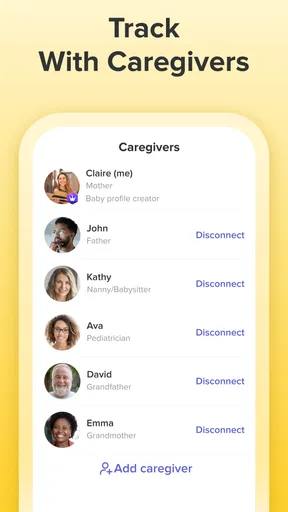
- Multiple user support for caregivers.
- Customizable reminders for tasks.
- Comprehensive growth charts included.
- Syncs data across multiple devices.
Cons
- Limited free features available.
- Ads can be intrusive at times.
- Requires internet for full features.
- Some features need in-app purchases.
- Occasional sync delays reported.
FAQs for Baby Tracker App | Glow
What is the main purpose of the Baby Tracker App by Glow?
The Baby Tracker App by Glow is designed to help new parents monitor and record their baby’s daily activities, including feeding, sleeping, diaper changes, and growth milestones. The app aims to simplify the hectic life of new parents by providing a centralized platform to track and manage essential baby care tasks.
Is the Baby Tracker App by Glow user-friendly for new parents?
Yes, the app is designed with an intuitive interface that makes it easy for new parents to navigate and use. It offers straightforward features and customizable options, allowing parents to quickly input data and access insights without a steep learning curve. Helpful tutorials and support are also available to assist users.
Can multiple caregivers use the Baby Tracker App simultaneously?
Yes, the Baby Tracker App allows multiple users to access and update information simultaneously. This feature is especially useful for families with multiple caregivers, ensuring everyone stays informed and coordinated with the baby’s schedule and needs, regardless of who is caring for the baby at any given time.
Does the Baby Tracker App offer any health insights or recommendations?
The app provides valuable insights based on the data you input, helping you understand trends in your baby’s habits and health. While it offers helpful tips and general advice, it’s important to consult with healthcare professionals for medical advice. The app is a tool to complement, not replace, professional healthcare guidance.
Is my data secure when using the Baby Tracker App by Glow?
Glow prioritizes user data security by implementing robust encryption methods to protect personal and sensitive information. The app requires user authentication for access and regularly updates its security measures. Users can also customize privacy settings to control who can view and edit their baby’s information, ensuring peace of mind.


